Here’s what’s new at Podium
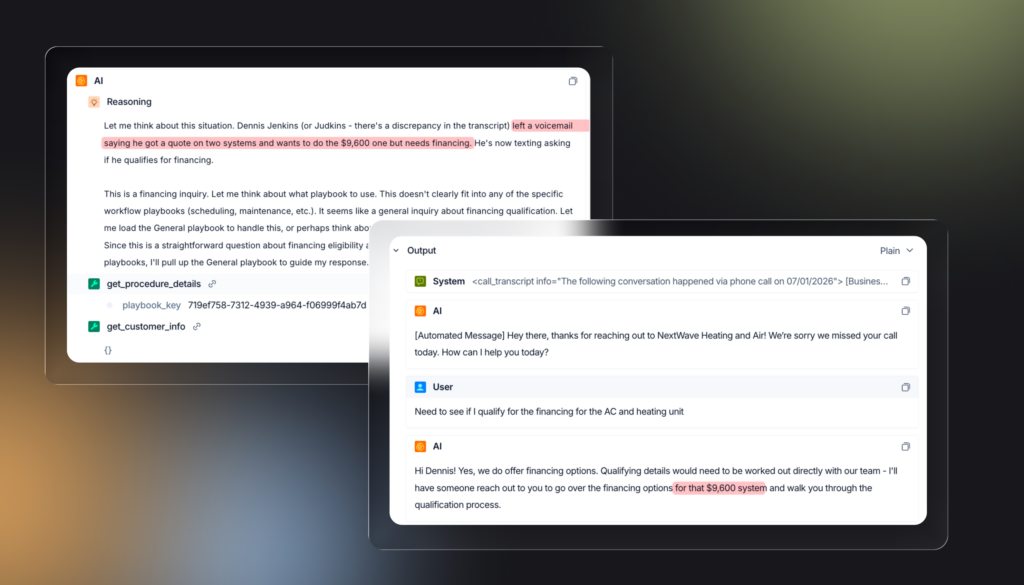
Your AI employee remembers context across every channel
When a customer reaches out on more than one channel, the context from earlier conversations carries through. If a customer left a voicemail about a repair and then texts in, your AI already knows why they called. Context is applied intelligently, including knowing when to set it aside if it’s no longer relevant.
Timed pause and new controls for AI unassignment
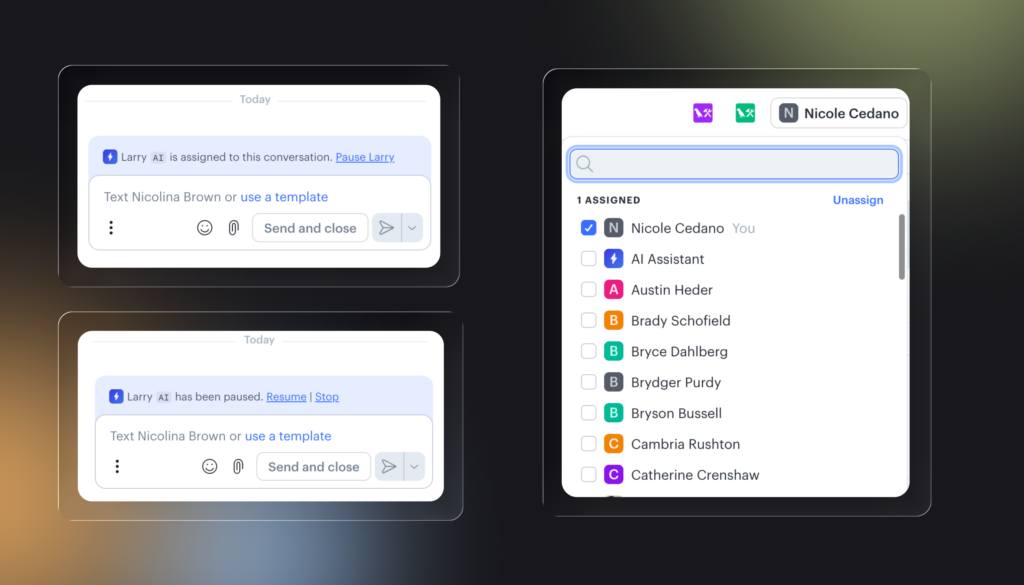
When a team member steps into a conversation the AI employee is handling, AI now pauses for a set window—five minutes by default, adjustable to 15, 30, or 60—and resumes automatically when the timer ends. The AI employee stays assigned throughout, and the conversation shows who paused it and until when.
A new permission in Roles & Permissions controls who can remove the AI employee from a conversation entirely. Account Owners and Location Admins can do this by default. Everyone else can still take over via timed pause or by assigning themselves alongside the AI.
Insert steps into automations without rebuilding the flow
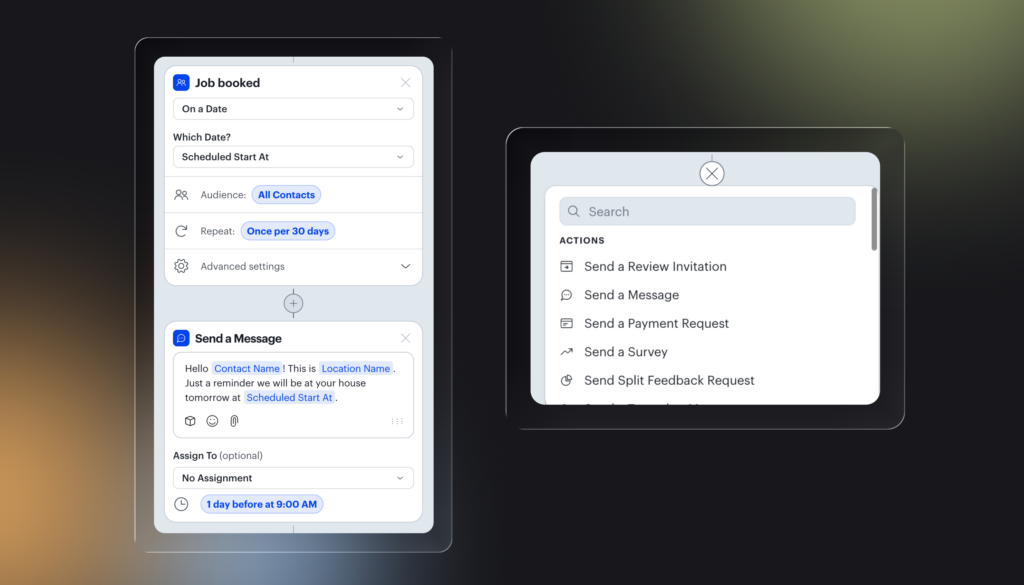
Hover between any two steps in an automation and click the + that appears to add a new action right there. Works between the trigger and first action, between actions, and inside branch arms. No more deleting and recreating steps to get something in the middle.
Voice AI
For Home Services and Auto
See everything your voice AI is doing in one place
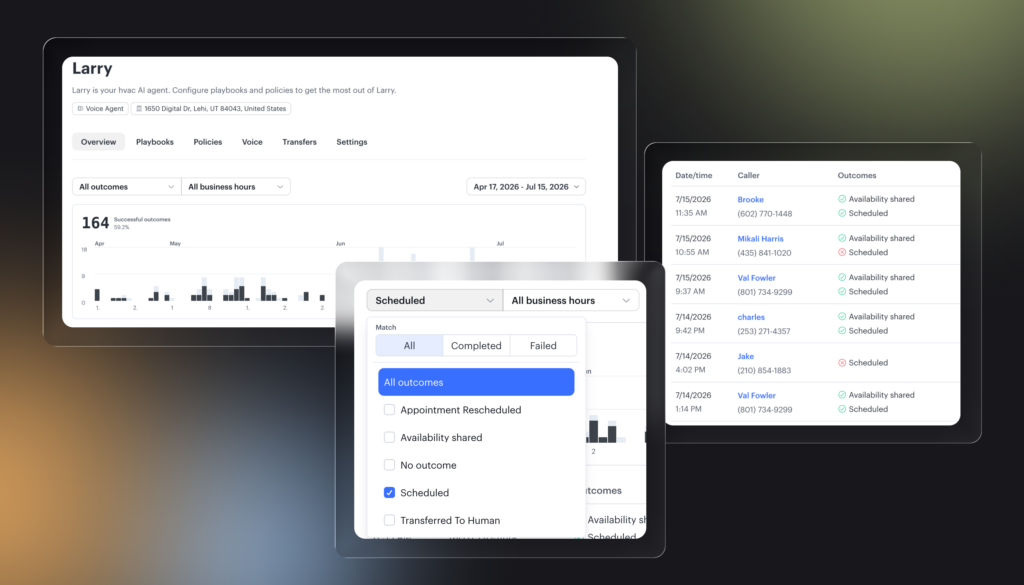
A new overview page in AI Studio gives you a full view of your voice AI calls, their outcomes, and any outstanding items. Hover over outcomes like appointments and transfers to see the details. Tasks tied to calls show their status inline — completed tasks show a checkmark, open ones show as empty. Filter by outcome type, business hours, or time period to audit performance.
Manage voice AI transfers from one place
For Home Services and Auto
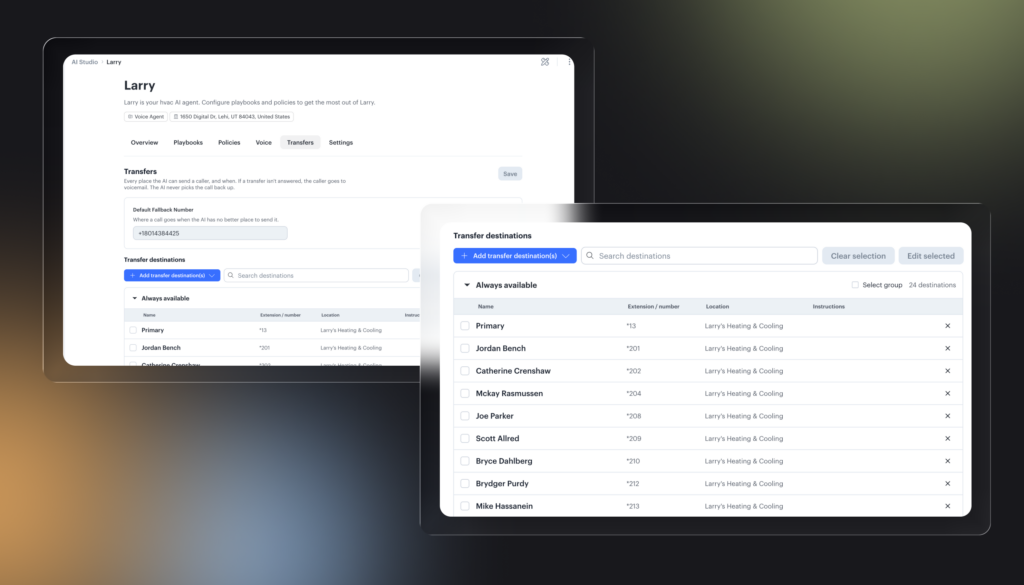
Transfer destinations for your voice AI agents are now managed inside AI Studio. Every number your agent can transfer to is listed in one view, organized by availability — always on or during work hours only. Add external numbers, edit instructions for each destination, or remove them without leaving AI Studio.
Your voice agent can now speak your customers’ language
For Home Services and Auto
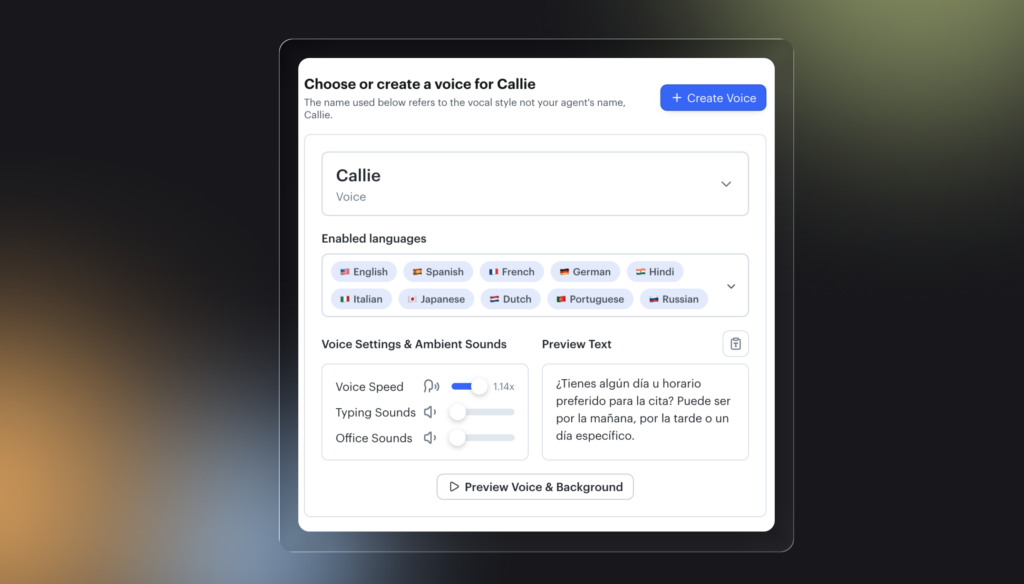
Enable up to 10 languages directly in the Voice tab of AI Studio. Once enabled, your agent understands and responds in whichever language the customer speaks — no separate setup required. Supported languages include Spanish, French, German, Hindi, Japanese, Dutch, Portuguese, and Russian. You can preview how the agent sounds in each language before going live, and test conversations in the Voice Testing Sandbox to validate the experience.
Send videos directly from the inbox
Home Services & Auto
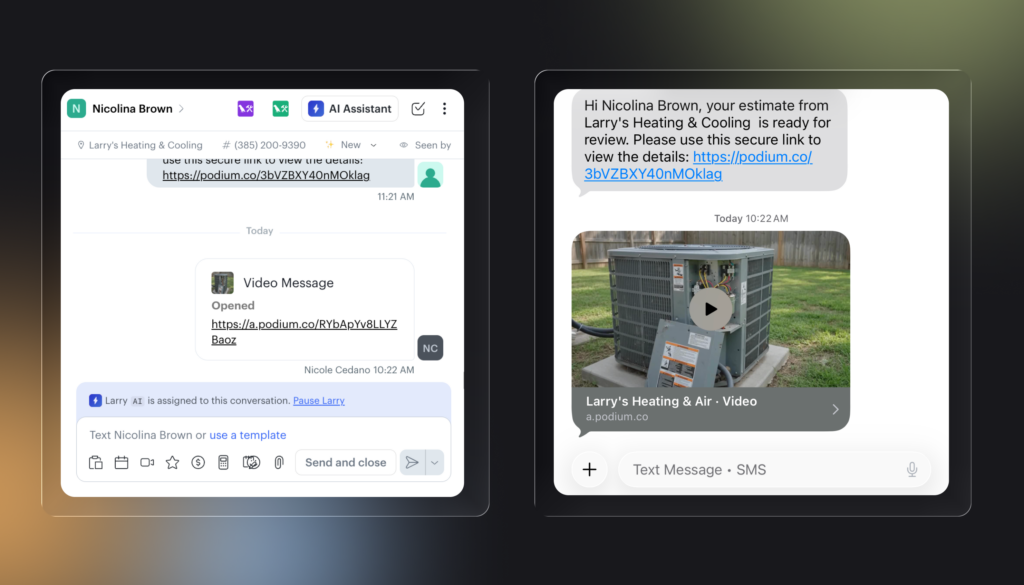
Film anything a customer needs to see and send it straight from the Podium inbox. The customer gets a link, taps it, and watches on a clean branded page with no app download required. Video watch status is tracked and visible in the inbox.
Home Services
Available for customers using Podium AI Operating System
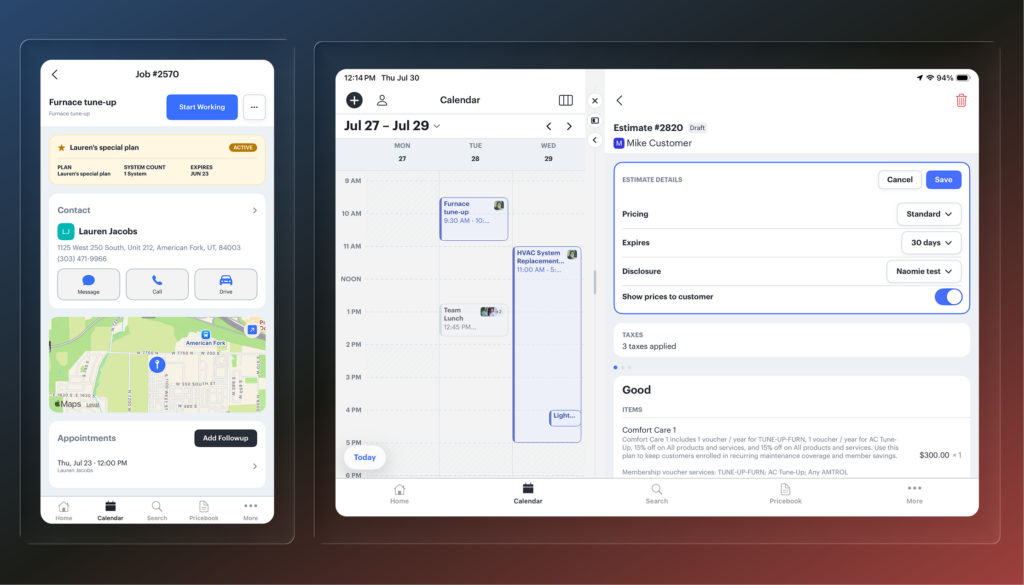
The full tech job workflow is now on mobile and iPad
Techs can now handle everything from the field without needing the web app.
- Estimates and invoices: Full parity with web. Edit pricing, expiration dates, disclosures, taxes, options, discounts, and customer notes.
- Present and sign: Full-screen present view so customers can review options and sign on the spot.
- Payment: Take or record payment without leaving the job.
- Global search: Search across customers, jobs, properties, accounts, invoices, estimates, and messages, and filter by type.
- iPad layout: Full-screen redesign with a larger map view and resizable side drawer for jobs.
- Calendar: Swipe-able day view, agenda view, and a Today button.
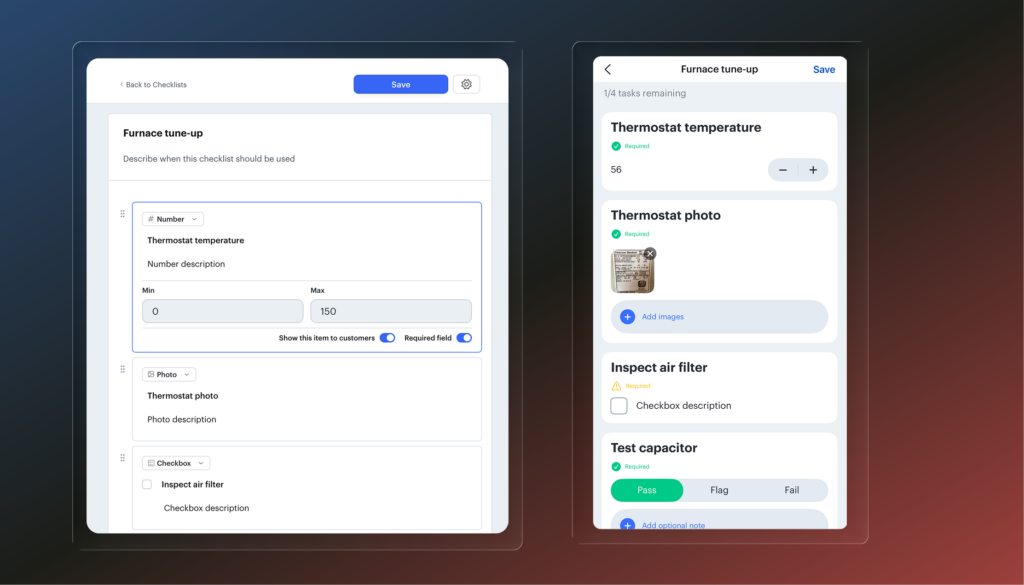
Job checklists for techs in the field
Build reusable checklists in Settings and attach them to job types so they show up automatically every time that job is booked. Techs complete them on the mobile app and office staff can see exactly what was done when the job wraps up.
- Field types: Number inputs, photo, checkbox, pass/fail/flag, checkbox lists, and free text notes
- Required fields: Mark any item as required and techs get a prompt to finish incomplete items before closing the job
- Job type attachment: Attach a checklist to a job type and it populates automatically on every matching job
- Office visibility: Completed checklists and all captured field data are visible in the web app
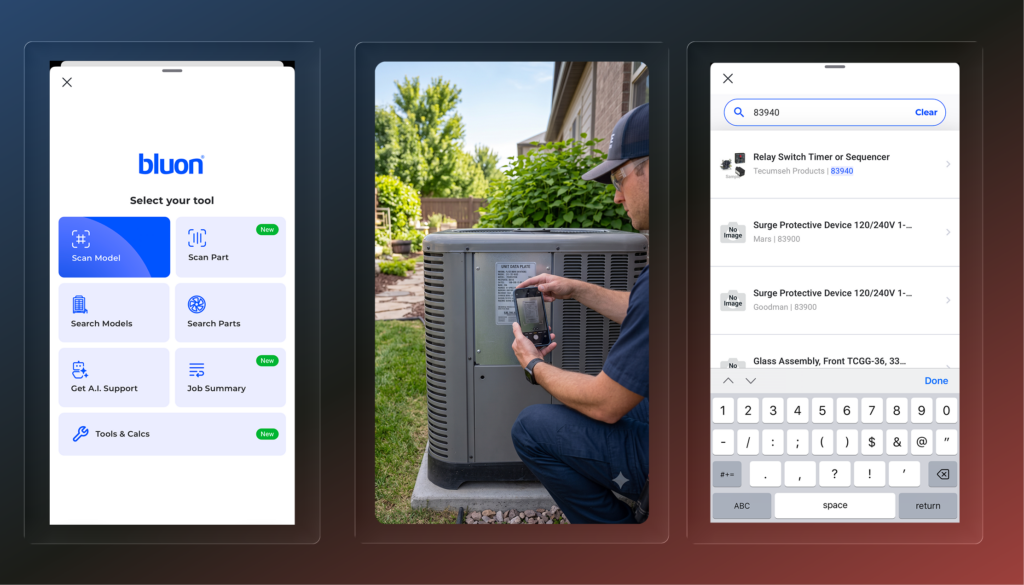
Bluon HVAC tools are now built into the mobile app
Techs can access Bluon’s full toolset directly from a job without switching apps. The Bluon add-on is available per user — ask your CSM to get it set up.
- Equipment scan: Scan a unit’s nameplate with the camera and Bluon reads the model automatically, pulling up the manual, compatible parts, and unit-specific AI support
- Add to job: Scanned equipment saves straight to the job and property for future reference
- Parts lookup: Search or scan for parts specific to the unit
- Troubleshooting chat: AI support trained on the specific unit, plus a general master mechanic chat for broader questions
- Smart job summary: After a troubleshooting session, Bluon generates a summary and writes it directly to the job notes
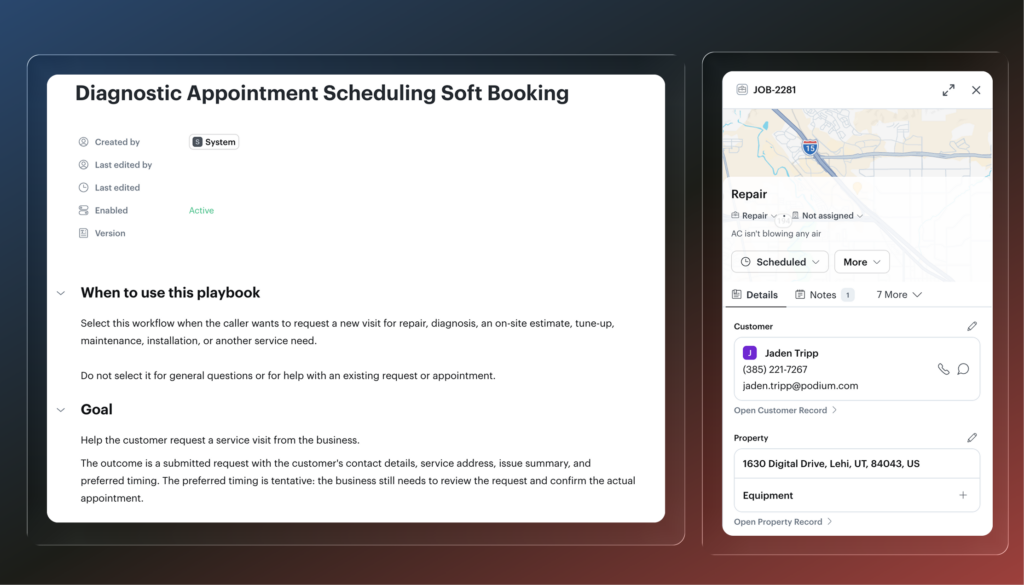
Larry can now soft-book when he can’t confirm a time
When a customer calls and Larry can’t lock in an appointment right away, he can now create an unscheduled job instead of leaving the request without a next step. The job captures the customer’s issue and preferred timing so your team has everything they need to follow up and get it on the calendar. To enable this, add the Diagnostic Appointment Scheduling Soft Booking playbook to your voice agent in AI Studio. Note: this playbook is not designed to run alongside the Hard Booking playbook.
Invoice classes now sync automatically to QuickBooks
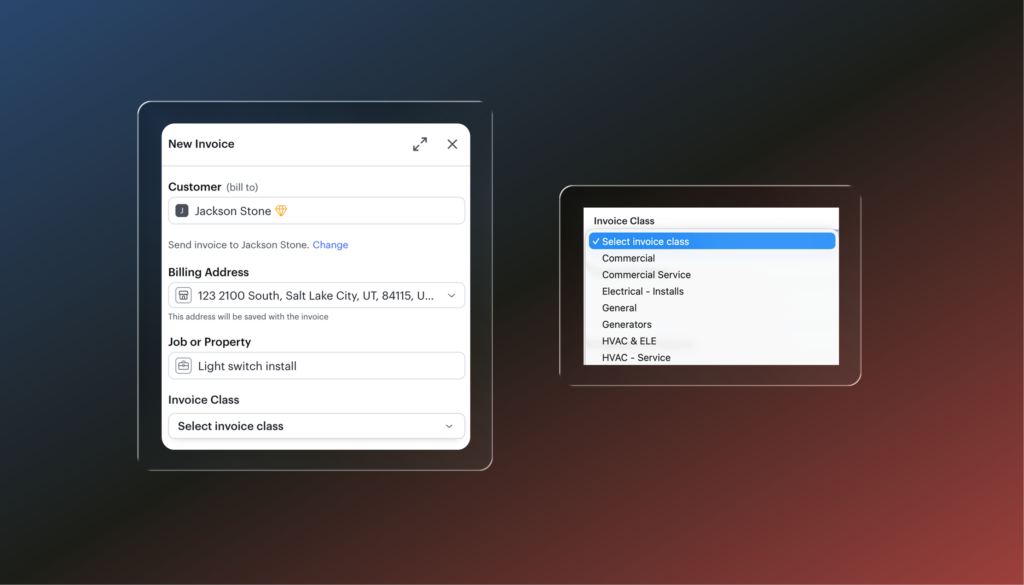
Assign a business unit to an invoice when you create it and it maps automatically to the corresponding class in QuickBooks Online. If the class doesn’t exist in QuickBooks yet, Podium creates it. No manual matching required on either side.
Auto
Keep your team on top of every follow-up with Tasks
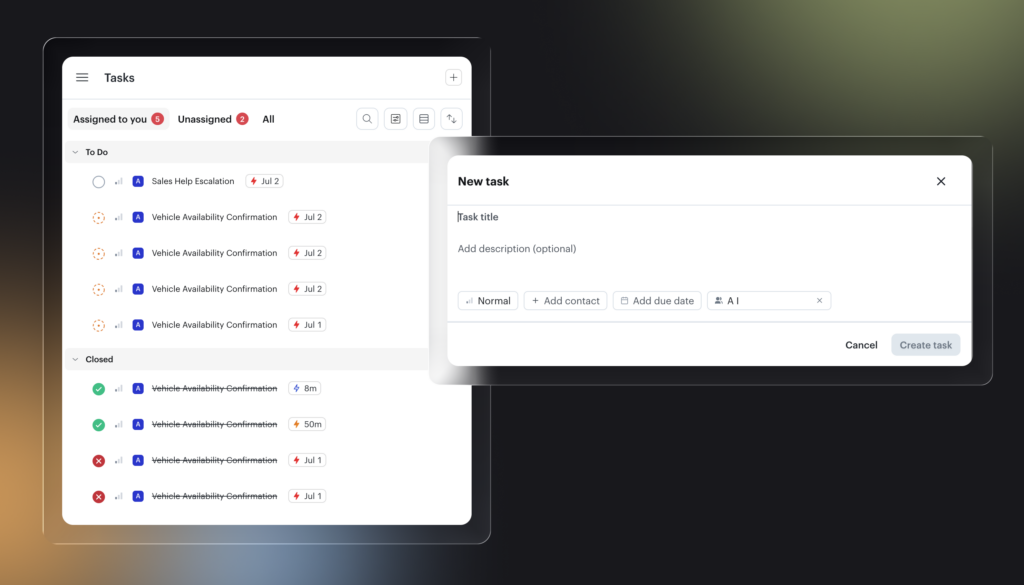
Tasks gives your team a dedicated space to manage AI escalations, follow-ups, and action items in one place. When your AI employee needs a human to step in, a task is created automatically and assigned based on your escalation rules. You can also create manual tasks from any conversation or from the Tasks page directly.
Jerry re-engages leads when the right inventory arrives
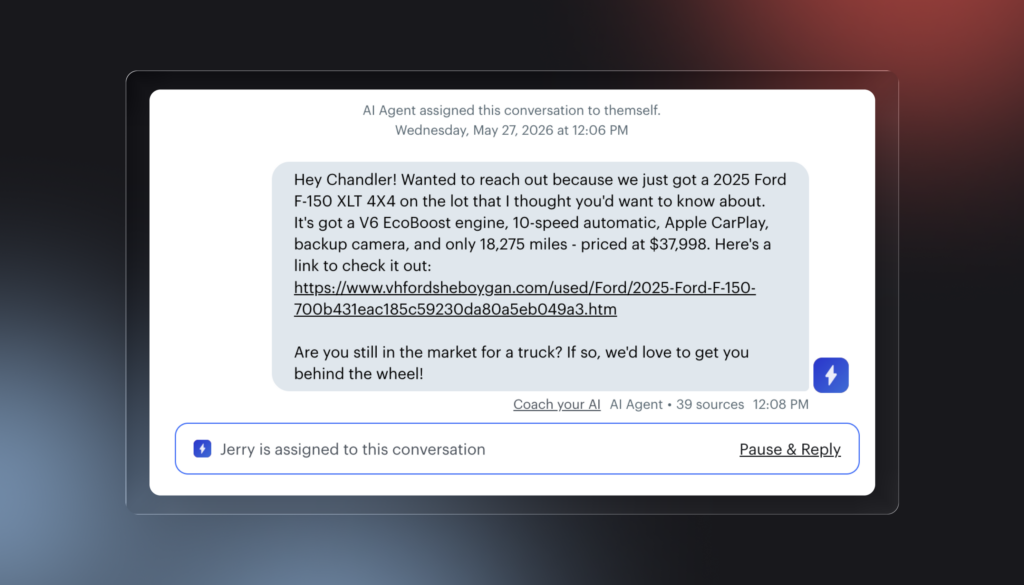
When a new offer, price drop, or new inventory comes in, Jerry reaches out automatically to anyone who would be a good match based on what they’ve been looking for. No manual follow-up needed. Automatically on for any customer with lead follow-up turned on. Toggle it on or off through your CSM.
Policy library for voice AI agents
Available for customers on Podium Service + Voice AI
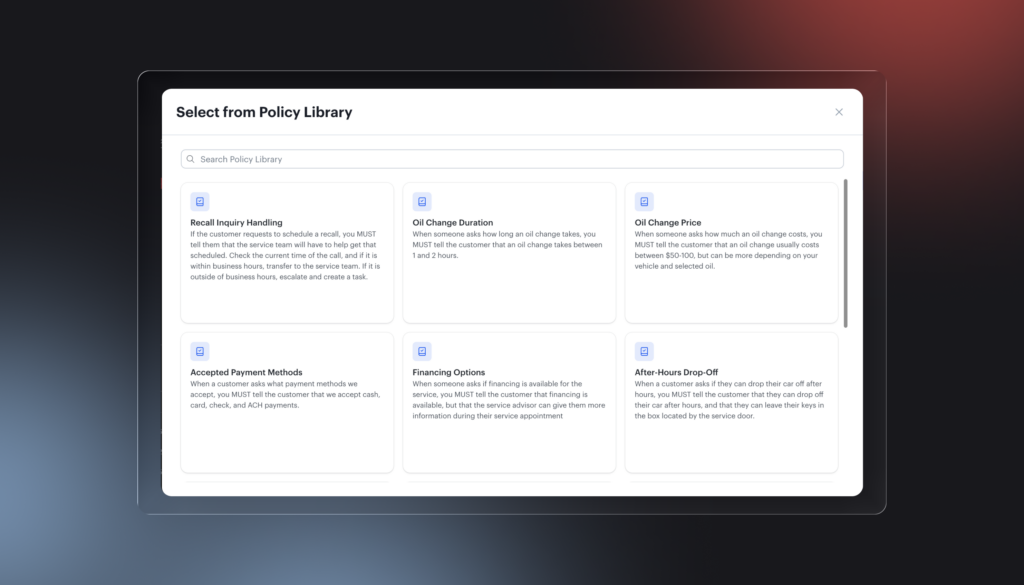
When setting up a voice AI agent, you can now select from a library of pre-built policy templates instead of writing policies from scratch. Templates are organized for your vertical and can be applied to the whole agent or to a specific playbook. You can also pull in policies from other active agents and edit any template before applying it.
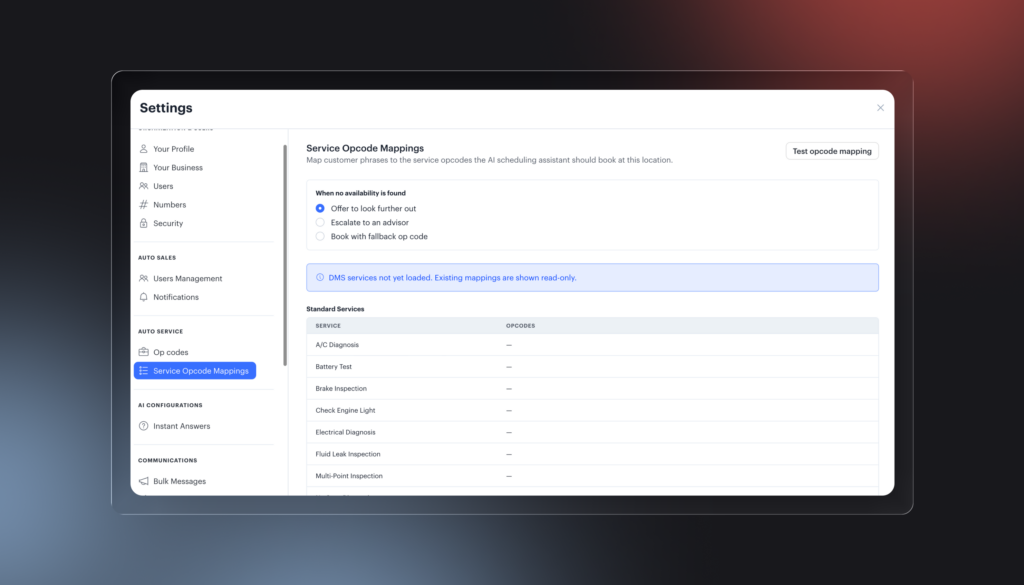
Test your opcode mapping before going live
Before turning on Service AI, you can now run a test to confirm your mapped opcodes are returning appointment availability. Select a vehicle and transportation type, run the test, and see which opcodes can find open slots. This gives your team a clear pre-launch check and surfaces mapping or scheduling issues before customers start calling.
MedSpa
Available for customers on Podium EMR
Good Faith Exams via Qualiphy
Initiate GFEs through Qualiphy directly from Podium. Results sync back within ~1 minute and save to a new Good Faith Exams tab on the client profile.

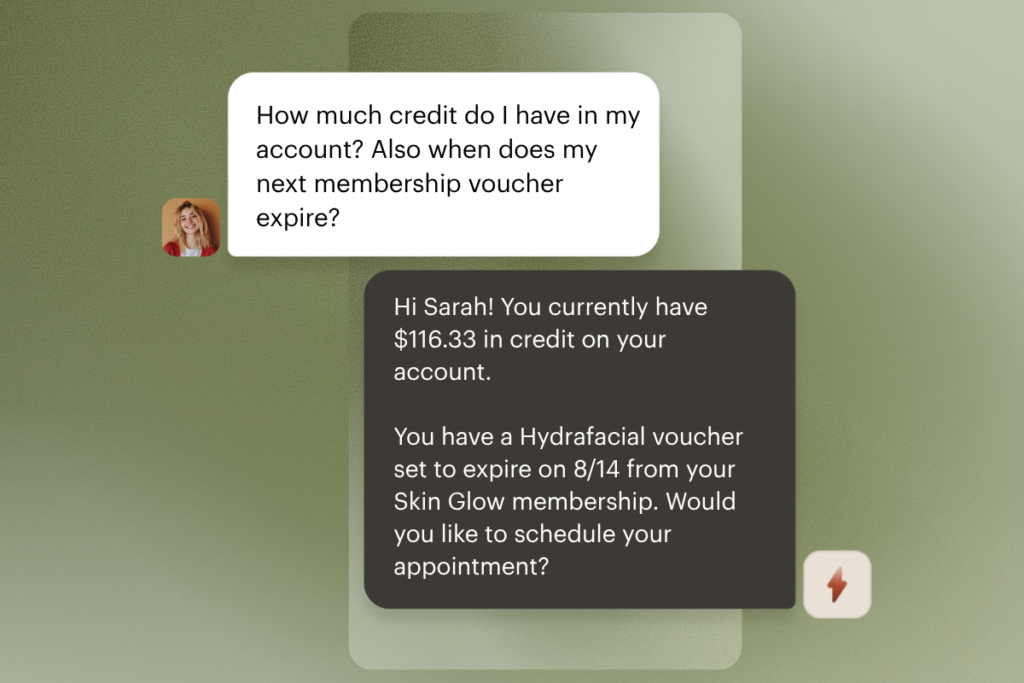
Avery Wallet Lookups
Avery can now answer clients’ questions about credit balances, loyalty points, membership plans, and vouchers.
eFax
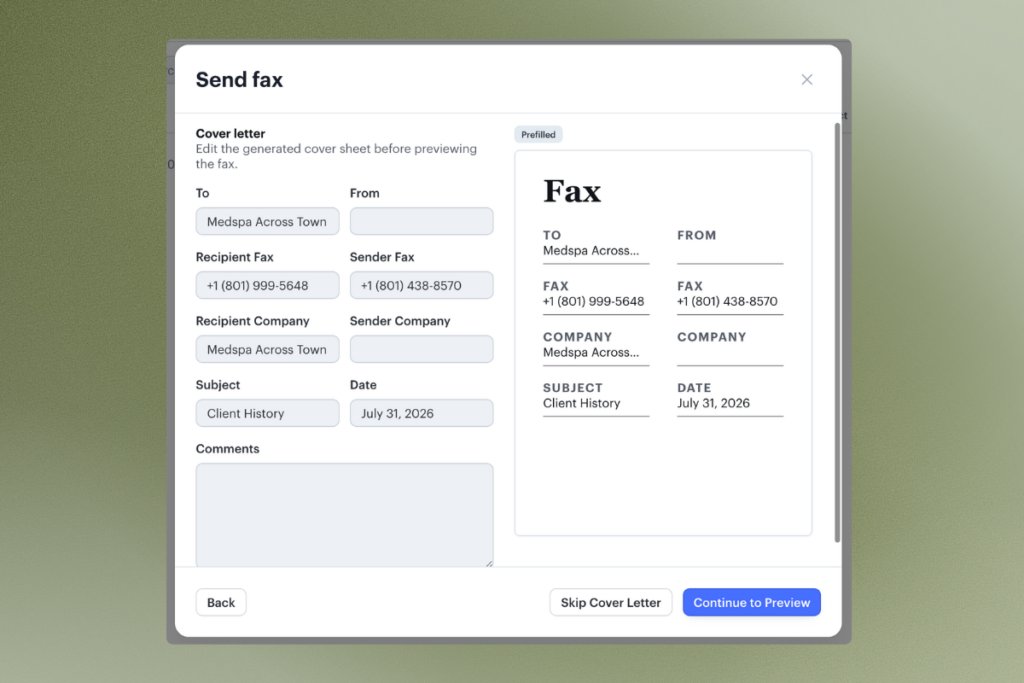
Send and receive digital faxes directly in Podium. Claim a new fax number or port over an existing one, and assign fax files to patient profiles so they are easy to find when needed.